🚀 Section 08: Entry Point and Program Start
Section Summary
In this section, students create the program entry point in main.py. They connect the finished Game class to a clean main() function and start the full application from one place.
By the end of this section, students will understand how Python programs launch, why entry guards matter, and how one object can own runtime control.
✅ Checklist
- [ ] Create
main.py. - [ ] Import
Gamefromgame.py. - [ ] Add a
main()function that createsGameand callsrun(). - [ ] Add the
if __name__ == "__main__":guard. - [ ] Run
s08_test.pyto verify entry-point behavior.
Core Concepts
1. What an Entry Point Is
An entry point is where the program begins when run directly. Keeping startup code in one place makes the project easier to read and maintain.
2. Why main() Is Useful
Using a main() function keeps top-level code minimal and organized. It also makes behavior easier to test because tests can call main() directly.
3. Why the __name__ Guard Matters
if __name__ == "__main__": means:
- When the file is run directly, start the game.
- When the file is imported by another module (like tests), do not auto-start.
This prevents accidental game launch during imports and supports clean modular design.
4. Runtime Ownership in OOP
Game().run() hands control to the Game object. From that point, the game loop manages updates, input, and rendering. This is a clear OOP boundary: main.py starts the app, Game runs the app.
Code Students Will Type (main.py)
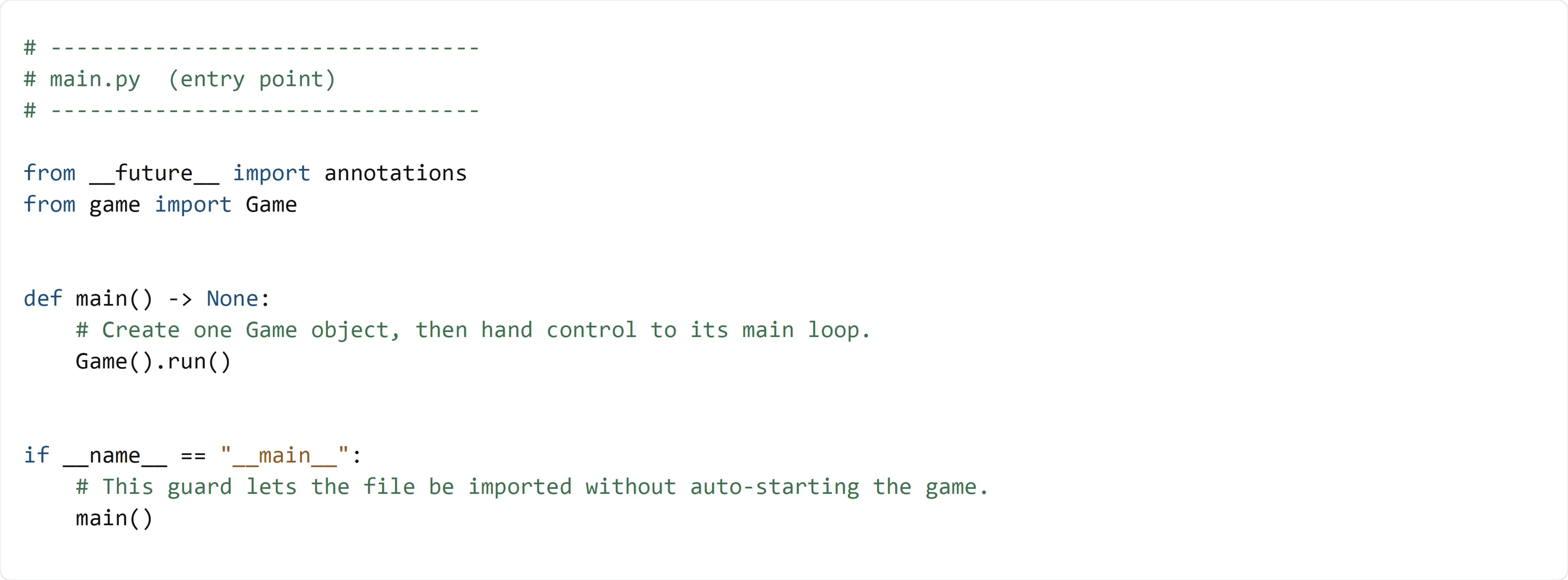
Type this code by hand so you understand exactly how the project starts.
Detailed Code Review & Key Concepts
Import and Function Boundary
from game import Gameimports the orchestrator class.main()is a small startup wrapper with one clear job.
Launch Line
Game().run()creates the game object and starts the loop immediately.- This keeps startup explicit and easy to follow.
Entry Guard
- The guard ensures safe import behavior for testing and reuse.
- Without this guard, importing
main.pywould start the game unintentionally.
Test File (s08_test.py)
Use this test file to verify that main() launches the game correctly and in a test-friendly way.
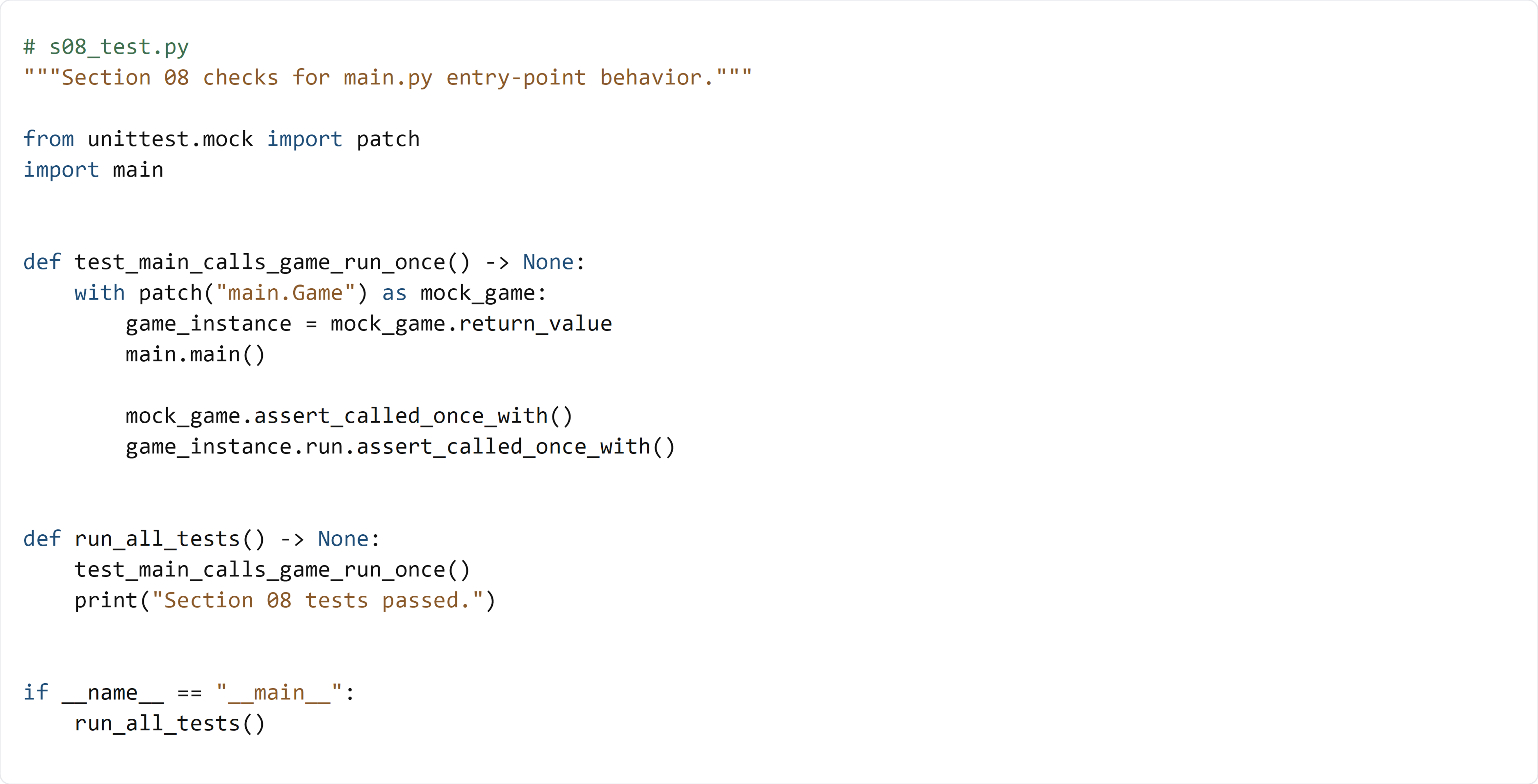
This test file uses unittest.mock.patch to replace main.Game with a mock object:
- It calls main.main().
- It verifies a Game object was created exactly once.
- It verifies .run() was called exactly once.
This confirms your entry point launches the game correctly without opening a real Pygame window during tests.